
Case Study · Solo · Idea to store
Three apps.
One person.
I design, build and ship mobile apps end to end. Research, product and UI, code written with AI agents under my direction, localization, App Store optimization, store assets and release. No team, no hand-offs.
At a glance
A product designer who ships
Most designers hand a Figma file to someone else and hope. I stopped handing off. Working with AI coding agents, I took three apps of my own from a blank page to the stores, alone.
Each one is a complete product: a researched position, a considered interaction model, native-quality localization in 9 languages, a store listing written like a landing page, and a repeatable release pipeline.
- 3apps designed, built and released solo
- 9languages per app, including Japanese, Korean and Chinese
- 300+commits across the three codebases
- 5-7weeks from first commit to store, for the two newest apps
The apps
01The pipeline
Every stage, one pair of hands
The same eight stages ran for every app. Nothing was skipped because it was "someone else's job".
- 01
Research
Competitor teardown, category norms, the gap nobody owns.
COMPETITOR_ANALYSIS.md - 02
Define
Design brief, game design doc, information architecture.
DESIGN_BRIEF.md - 03
Design
UI, tokens, icons, motion and haptics as one system.
DESIGN_TOKENS.css - 04
Build
Expo, Skia and native modules, written with AI agents.
CLAUDE.md - 05
Monetize
Free, ads + one purchase, or subscription. Chosen per product.
RevenueCat - 06
Localize
9 languages, written to read like native copy.
locales/*.json - 07
Optimize
Metadata, keywords, screenshot storyboards, preview video.
STORYBOARD.md - 08
Ship
EAS builds, Fastlane metadata, patch notes, policy pages.
Fastfile

02Color memory game
What The Hue!?
Other color games are polite. This one isn't.
Color games in the store are gentle and meditative: tile swaps, calm mosaics. I wanted the opposite. Fast, a bit rude, and honest about how good your eyes really are.
A shade flashes for 4 seconds, then vanishes. You rebuild it from memory with Hue, Saturation and Brightness sliders. Five rounds, one minute, 50,000 points possible.
The score is the distance between the two colors in RGB space, pushed through a cubic curve, so near-misses are punished hard. Every round ends with a line of snark: 136 of them, in 9 languages.
- Tone as a featureThe roasting is the hook and the reason people share. It was written, then localized, as carefully as the UI.
- One minute, no frictionNo account, no ads, no purchases, fully offline. Open, play, get judged, play again.
- FeelPress animations and haptics on every control, Skia-rendered color, a score breakdown per channel.
Try it
The real game's scoring, running in this page.
What the hue?!
Store screenshots

03Interactive card deck
Tarot Deck
A tarot deck you can feel.
Tarot apps tend to be horoscope machines: birth dates, predictions, chatbots, accounts. The people who actually use a deck want the deck: cards to handle, meanings worth reading, and nothing asking for their personal details.
All 78 Rider-Waite cards, upright and reversed, on a table bigger than the screen. Drag a card and it resists and leans. Flip it and you feel it land. Deal into six classic spreads or lay cards out freehand.
The app makes no predictions. Meanings are grounded in A. E. Waite's public-domain Pictorial Key to the Tarot (1911), with a symbol-by-symbol description of every card.
- Physics over pagesMomentum, lean and settle on every card, with haptics on each draw and flip, at full frame rate.
- Honest positioningA reference and a ritual object, not a fortune teller. No account, no AI, no server.
- Fair monetizationFree with ads, and one purchase removes them for good. No subscription.
Handle the card
Drag it around. Click to flip. Draw another.
Store screenshots

04Art reference board
RefApp
The reference board you actually own.
Artists collect references everywhere, then lose them across camera rolls and apps. On desktop they use PureRef, which has no mobile app. On iOS the best-rated option was an iPad-only app last updated in 2021, and the free ones sit at around 2 to 3 stars.
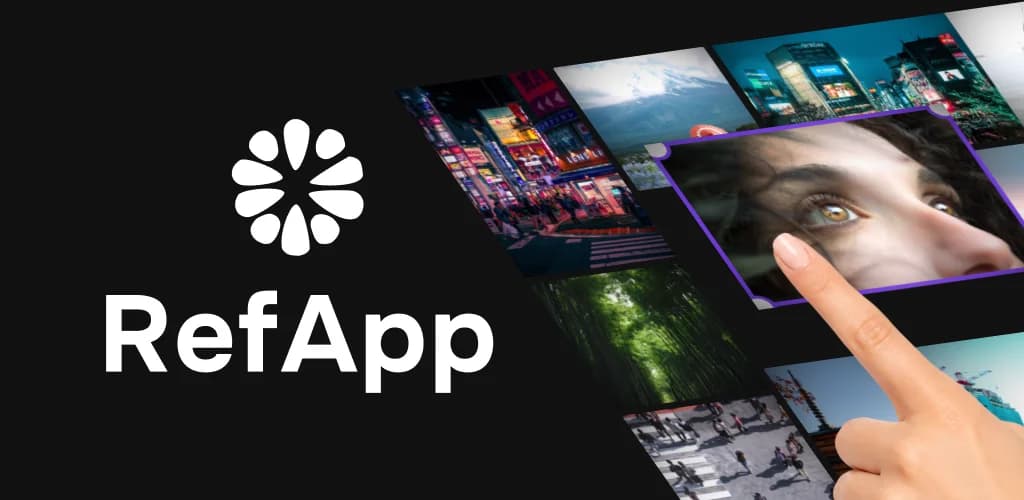
An infinite, near-black canvas that holds hundreds of references at once. Rotate to any angle, crop, layer, group, and write notes right next to the image they belong to.
The differentiator is structural: every board is a single .rfap file in a folder you choose, visible in Files, easy to copy and back up. Delete the app and your boards are still there.
- Canvas over chromeToolbars collapse and panels slide away. The references are the interface.
- Instant over deliberateShare from any app, paste, or drop a screenshot the moment you take it.
- Spatial over hierarchicalPosition is structure. Layers are for z-order, not folders.
Owning files meant going native: a custom module for folder access (security-scoped bookmarks and iCloud on iOS, the Storage Access Framework on Android), zipped .rfap archives, and a Pro subscription whose entitlement still resolves offline.
Free: one board with every tool. Pro: unlimited boards, cloud backup and file sharing for $2.99 a month or $19.99 a year, with a 7-day trial.
Store screenshots
05Store & ASO
The listing is part of the product
Nobody sees the app until the store page convinces them. I treat the listing as a designed surface with its own research, copy and assets.
Rules I design listings by
- 01Captions are keywordsScreenshot captions are OCR-indexed, so they reinforce the metadata instead of avoiding it.
- 02Three slots decideUsers rarely swipe past screenshot three, so the first three carry the whole argument, in AIDA order.
- 03Video reads silentAutoplay is muted, so every beat of the preview has on-screen text or self-evident motion.
- 04No borrowed namesCompetitor trademarks stay out of keywords. Win their users with the generic phrase instead.
Case: repositioning RefApp before launch
A competitive read showed "reference board" was the phrase people search, and that no competitor could claim local file ownership. The draft metadata changed accordingly.
| Field | Draft | Shipped | Why |
|---|---|---|---|
| Title | RefApp: Reference Canvas | RefApp: Art Reference Board | Wins the exact category phrase and frees art, reference and board from the keyword field. |
| Subtitle | Infinite moodboard canvas | Moodboard canvas you own | Stops mirroring a competitor's subtitle and states the differentiator. |
| Keywords | moodboard, reference, canvas, artist… | inspiration, painter, illustrator, concept, anatomy, pose… | No repeats of title or subtitle words; adds the terms this audience uses. |
Everything else that ships with an app
- 10-slot screenshot sets per app, iPhone and iPad
- Localized screenshots in 9 languages
- App preview video with a beat sheet
- Adaptive, dark and tinted icons
- Play feature graphics
- Privacy policy, terms and changelog pages, hosted on this site
06Workflow
Vibecoding, with a designer's discipline
AI agents write most of the code. I write everything that decides what the code should be: briefs, architecture, tokens and the rules the agents work under. Then I test on real devices and own every decision.
- every change you make should be performance centered
- all knobs for tweaking a feature live at the very top of the component file, each one commented
- all UI text must be externalized: i18n with semantic keys, no hardcoded strings
- translations must read as if the app had been written in that language from the outset
- new feature or bug fix: create a new branch first
- look for a suitable Expo library before planning a feature
What that looks like in practice
- Specs before promptsEvery app starts as documents: a design brief, IA, tokens and page specs the agent builds against.
- Tweakable by designTiming, springs and thresholds sit at the top of each file, so I tune feel directly instead of re-prompting.
- Performance as a ruleFrame rate is a requirement, not a polish pass. Large boards and 78-card tables had to stay smooth.
- Release as codeMetadata, screenshots and patch notes live in the repo and ship through Fastlane and EAS.
07Reflection
What building alone taught me
- 01
Positioning is a design decision
RefApp's most important feature isn't on the canvas. It's the fact that your boards are files, and that came out of research, not ideation.
- 02
AI speeds up building, not deciding
Agents made it possible to ship three apps alone. They didn't make a single product decision. Judgment is still the job.
- 03
The store page is the first screen
Designing listings with the same care as onboarding changed how I think about where a product experience begins.
Thanks for reading.
Need someone who can take a product from idea to the store? Let's talk.