
Case Study

Optevo Design System: A Project Management software for Business and teams

B2BSaaSDesktopWebiOSAndroid
Optevo Design System Hero

Overview

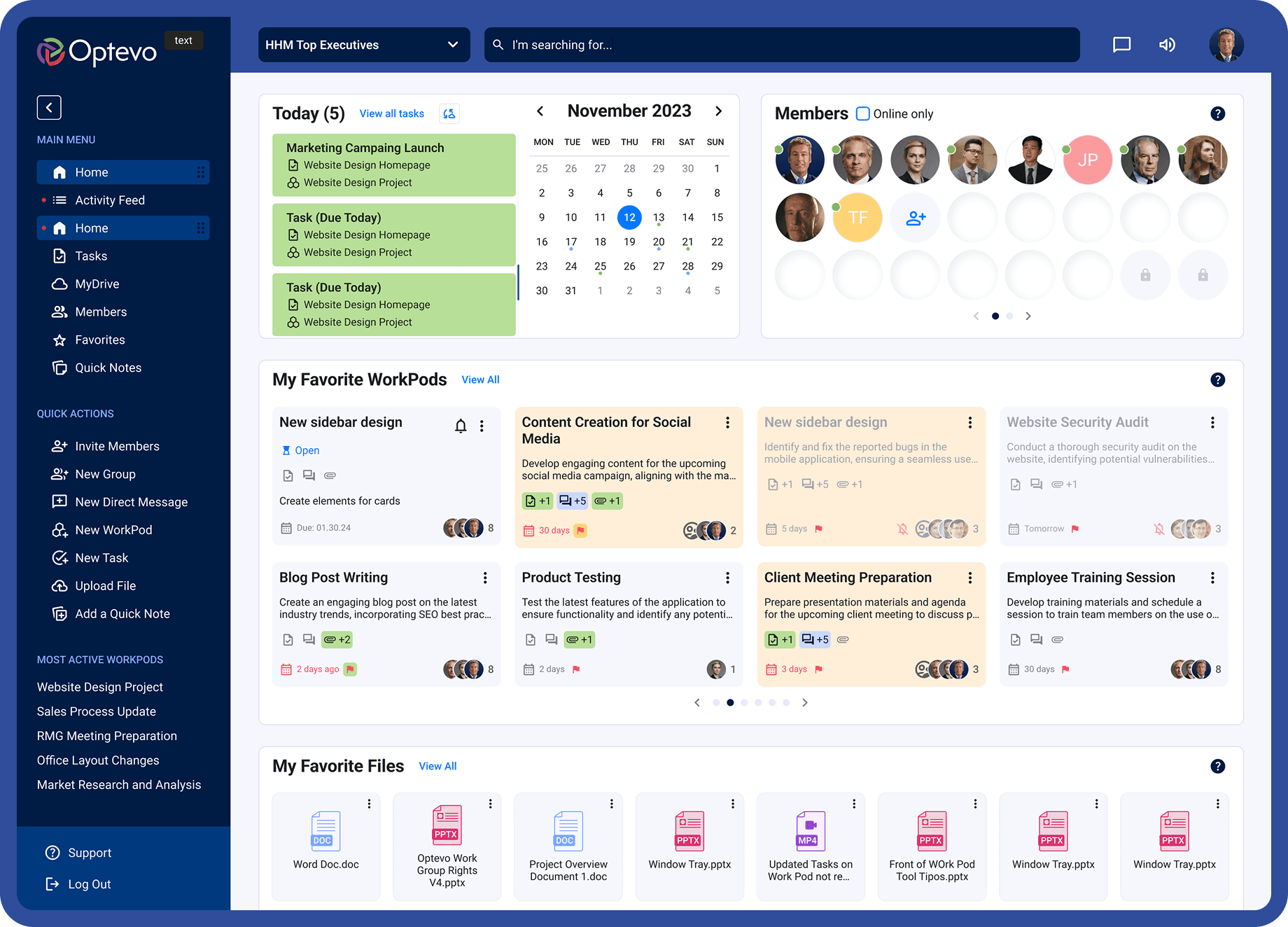
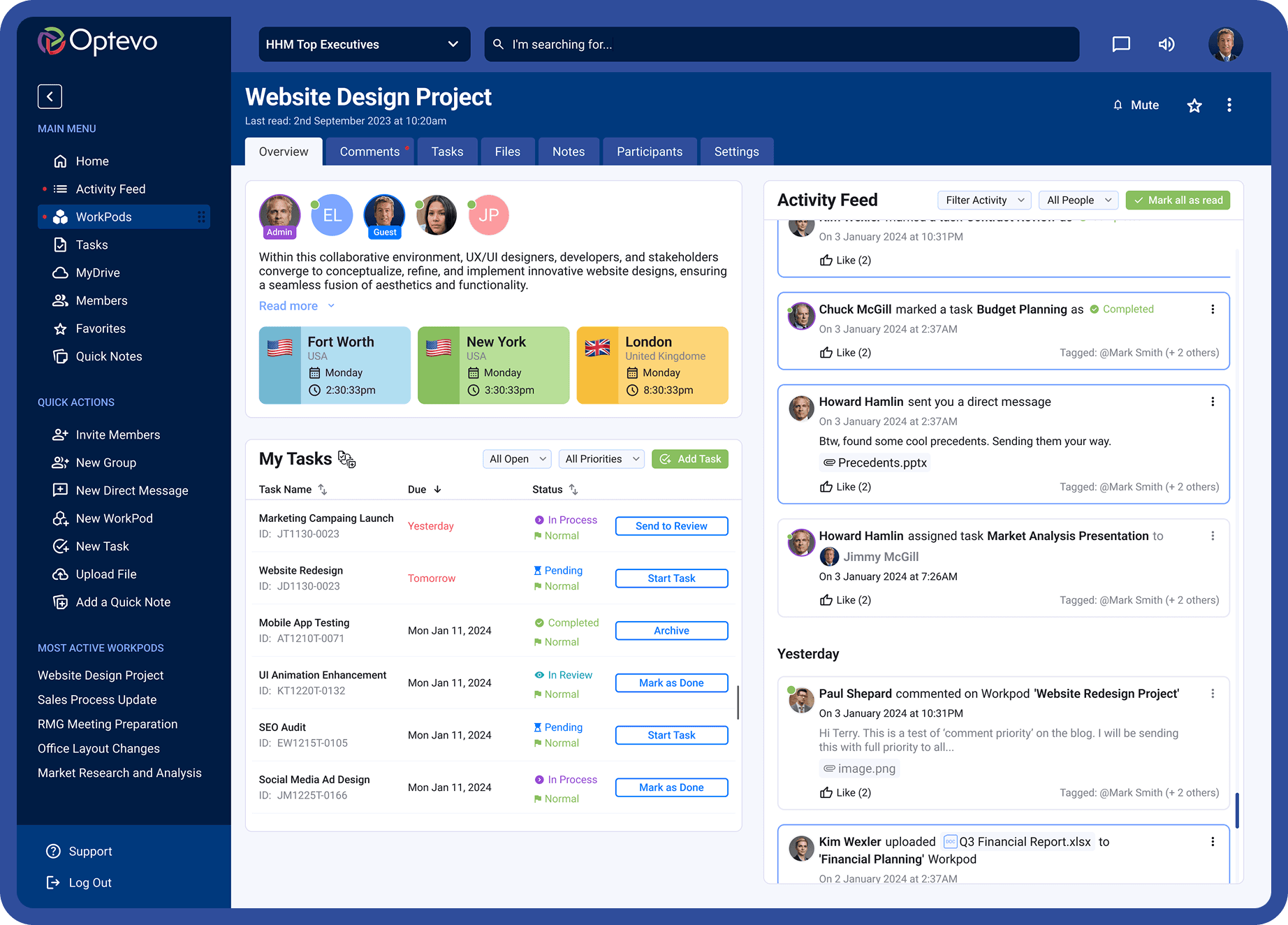
Optevo introduce a new entity called Workpods - is a collaborative space where users can work on projects, organize tasks, track progress, share files, and communicate with team members, all in one place.

The client had a legacy design for their website, and a rough vision of what the new design could look like. Legacy design was cluttered, disorganized, outdated. According to user surveys, old website was illogical and did not display the required metrics.

The site backend was built way that every user action was responded to with a new page loading. One of the crucial tasks of both – design and development – was to radically reduce the number of page loadings. The key goal was to make the WorkPod the central hub for teamwork and providing users with an efficient, real-time collaboration environment.

Client

Optevo

Role

Lead Product Designer

Team

Collaborated with mobile developer, PM, and 3D artist

Duration

26 Weeks

Tools

Figma, FigJam, Notion, Lottielab, ClickUp

Optevo design 1
Optevo design 2
Optevo design 3

Project Goals

1

Create a versatile Design System

2

Conduct usability researches of legacy website

3

Adapt the design for mobile devices

4

Conduct surveys and find out user's pains and desires

5

Keep some technical pages with the same functionality, but refresh them with a new look

Style Guide

Style guide 1
Style guide 2
Style guide 3
Style guide 4
Style guide 5
Style guide 6
Style guide 7
Style guide 8
Style guide 9
Style guide 10
Style guide 11
Style guide 12
Style guide 13
Style guide 14

Research Methods

A key aspect of this project was the existing user base, accustomed to a cluttered and complex UI.

The challenge was to approach the redesign in a way that not only tested new features but also guided users on how to interact with them effectively.

User Interviews

Prototype testing

User Journey

Prototype testing

Research 1
Research 2
Research 3
Research 4

Key focus areas

What are the challenges or barriers with Web App use?

What's important for a great Web App experience?

What a typical working day is like for a Optevo user?

Lo-fi prototype feedback

Simplify menu hierarchy

The original design had a complex dropdown menu that was difficult to navigate. Users had to repeatedly go through multiple sub-items in the hamburger menu to access their desired view and customize their dashboard.

Fine-tune notifications

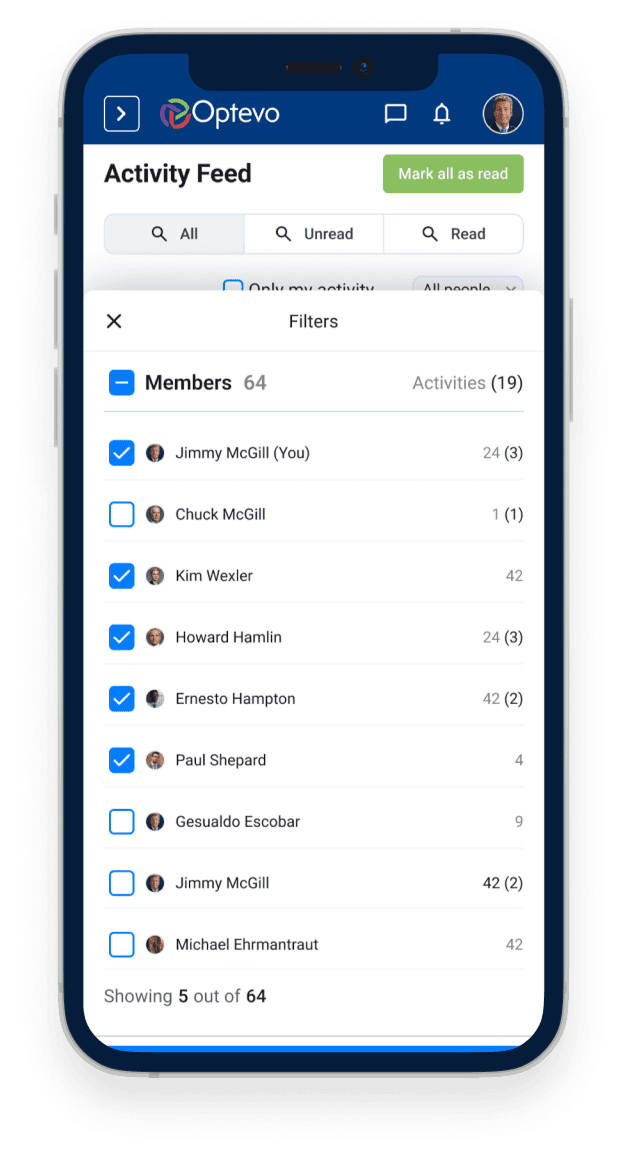
Users need a new notification system that allows customization based on their current tasks and ability to mute notifications from specific sources.

Simplify menu hierarchy

We identified a shortage of relevant views and functional widgets. The existing widgets lacked useful information and didn't update in real time.

Fine-tune notifications

One of the struggles users had with the site was that it showed loaders for almost every action. My task was to rework the user scenarios so as to reduce the number of clicks to the desired result to a minimum.

Optevo Design System

After conducting customer interviews, we synthesized our findings to create a customer journey and persona, which we presented and discussed with the client. These exercises provided a solid foundation for moving into feature ideation and prioritization.

MacBook Pro mockup

Create and Manage Workpods

WorkPods are at the core of task management in Optevo. In the updated version, we prioritized displaying key information—such as participant details, updates, and current status—directly on the main dashboard for quick access.

Only team administrators have the ability to create new WorkPods and manage participant assignments.

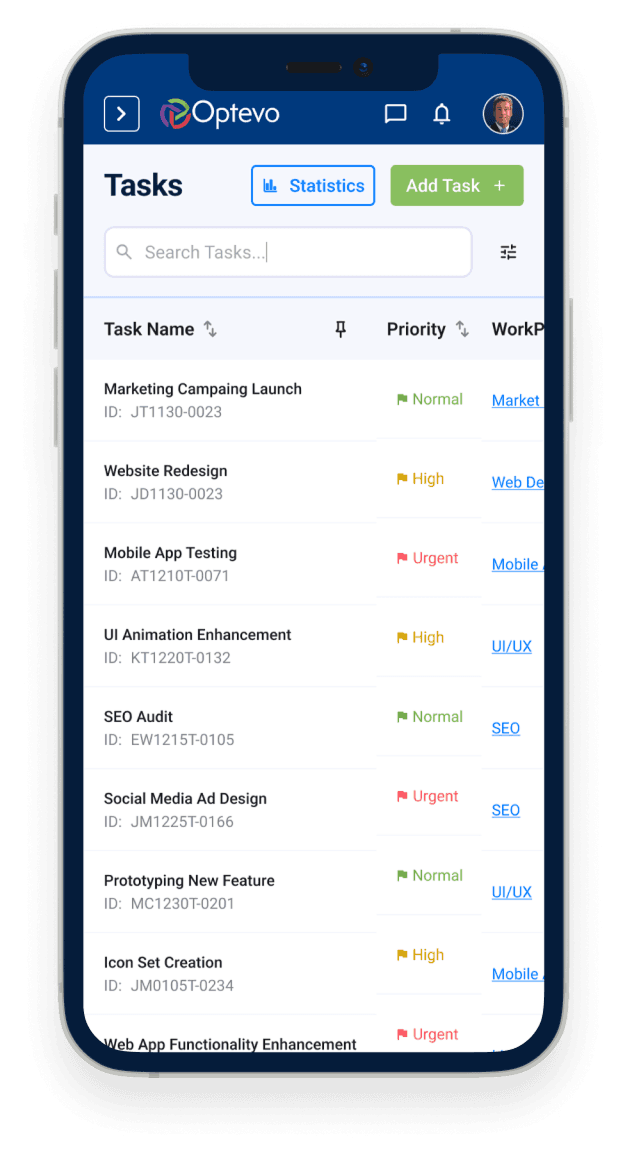
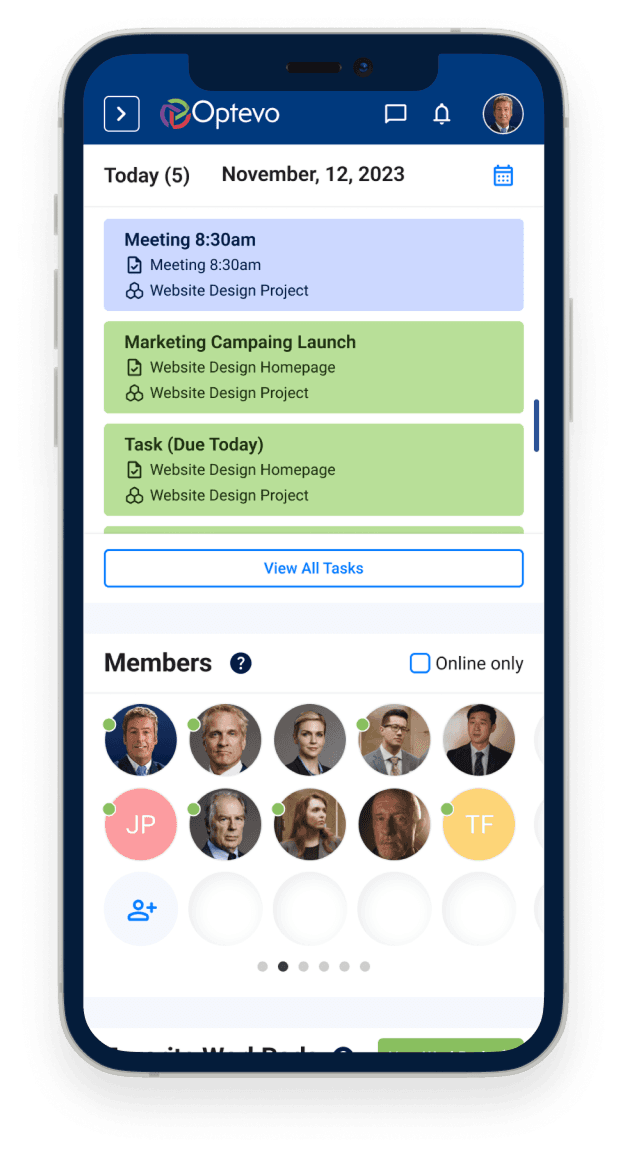
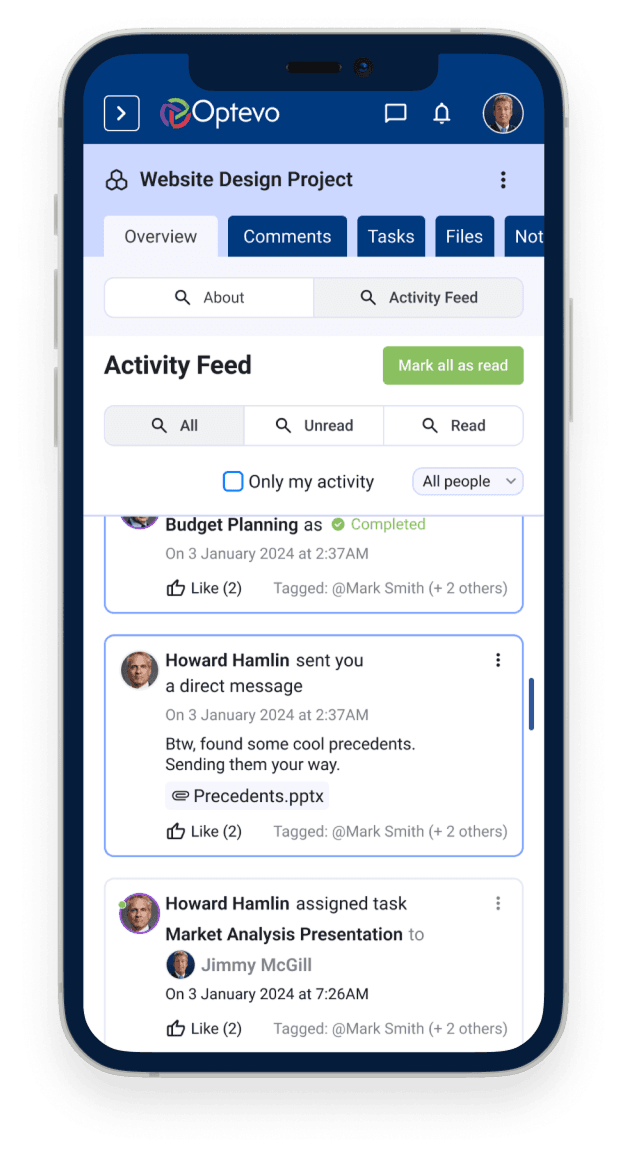
Mobile adaptation

Adapting large and complex structures for mobile use, especially when dealing with a legacy design full of nested dropdown menus, was a significant challenge.

While we couldn't adopt a Mobile First approach for the Web App—since the vast majority of Optevo users work from desktop—it was crucial to ensure that every page was optimized to display properly on mobile devices.

For iOS and Android, we developed a companion app using Flutter, which syncs all notifications from the desktop version, providing a seamless mobile experience.

iPhone mockup
MacBook Pro mockup

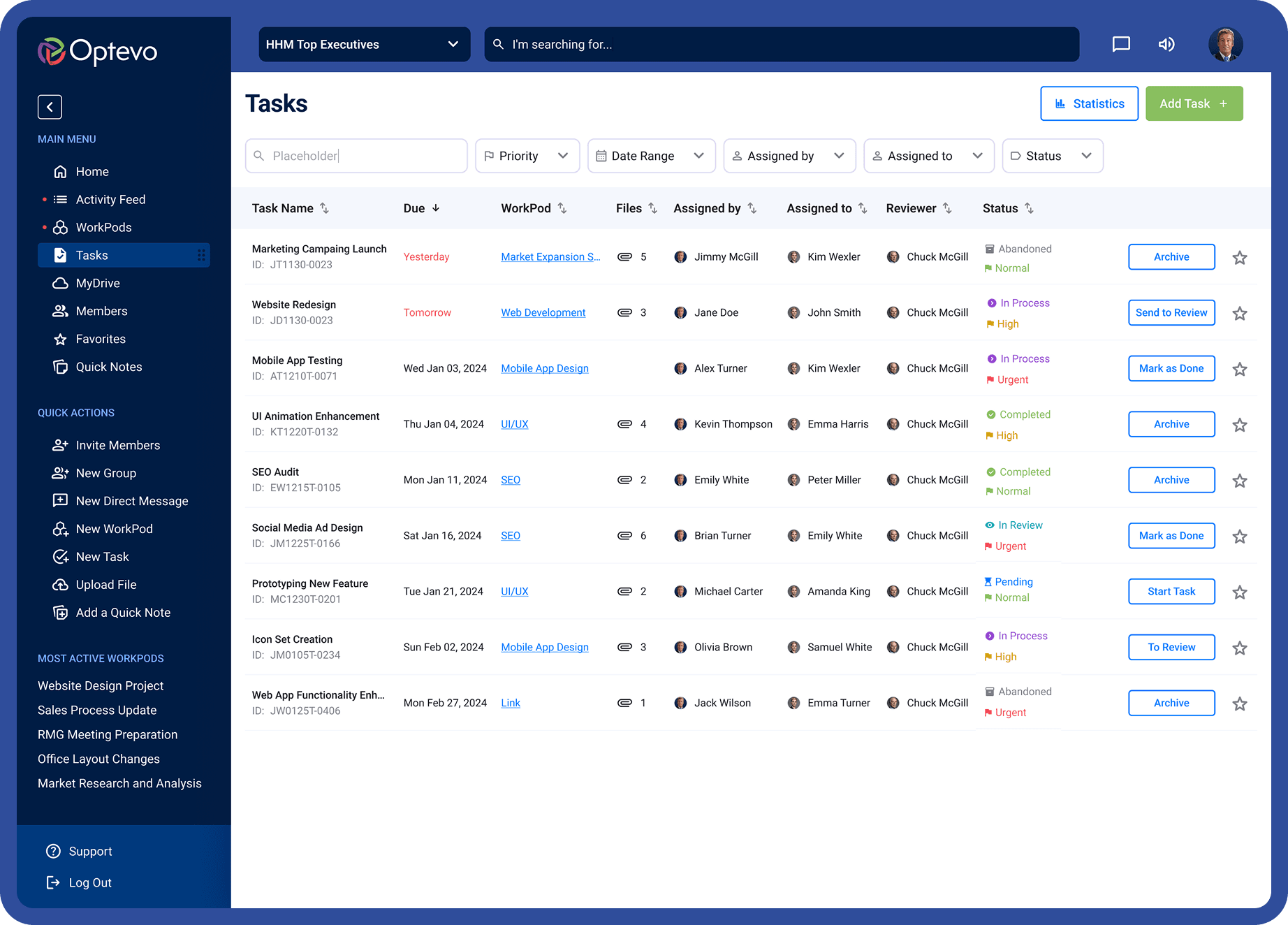
Open and Complete Tasks

The Task entity in the Web App was separated from the Workpods. Tasks could be either part of Workpods, private for each user or shared by the whole team.

Tasks within Workpods had multiple stages of progress such as Pending, In Process, In Review, etc. This also should have been taken in mind when working.

Learnings

Our Client

With the pressure of a tight budget and deadlines, it was difficult to redirect the clients focus from the next big feature and onto the our user's need. We also couldn't get quality feedback from users on a regular basis. This made it difficult to help the client make evidence based decisions with ongoing features.

Final thoughts

I have experienced firsthand that the lack of a clear hierarchy in the decision-making chain makes implementing functionality long and agonizing. Inconsistency creates chaos, but I have found it enjoyable to bring it into order.

Thank you for viewing!

Want to discuss a project or collaboration? I would love to hear from you! :)